Friday, November 11, 2016

Saturday, October 17, 2015
Wednesday, February 25, 2015
Testing AudioBoom Recording Tool
I've been testing out various free audio recording apps for my students and found AudioBoom to be a nice option for next week's work on voice recordings. AudioBoom plans have both a free version and paid version, we only need the free version which allows unlimited recordings and a max of 10 minutes for each. Here is a little video demo on how to record, share it to our G+ Community and embed it into a blog post. I was pleasantly surprised that it actually embedded the player into a blog post.
Tuesday, December 2, 2014
Hour of Code in Vermont
Find your Inner Geek
Hour of Code is a worldwide event held during the week of December 8th - 13th to engage and excite young and old about computer science. Who would have thought that such a complex science could be accessible to all of us. Not only is it accessible, it is essential for today and tomorrow's students to know and understand how to think, problem solve and innovate as programmers. The thing is, what we refer to as "coding" or "programming" is no longer within the realm of only the top math students and so called geeks of the world. We all can find our inner geek and learn to code with tools that scaffold our understanding of computer programming.
This introductory video from the code.org website does a nice job at explaining this idea using one of the many free lessons and programs found on their site to help us get started. This example uses an introductory program called "Blockly" which is also mentioned on the Made with Code website.
Google HangOut on Air Event
I'm excited to be part of the Vermont effort by helping with next week's Hour of Code Guest Speaker Series where a number of Google HangOuts on Air (HOA) will be offered throughout the week where you can watch and participate by asking questions of the HangOut panel. This is not only an opportunity be part of the Hour of Code in Vermont but also to see how Google HangOuts on Air works from a viewers perspective. Google HangOuts on Air is a great tool for offering live or recorded events where a panel of speakers (up to 15) can be in the video conversation sharing ideas, websites and other media while this video event is being streamed live on an Event page for viewers to watch and ask questions using the Q&A feature, or just posting to the event comment thread. To learn more about Google HangOuts on Air and how to create a HOA event watch this video by Google, How to Broadcast a Google HangOut on Air or ask for help from GEG Vermont members.
Friday, November 14, 2014
Moving out of the box
 In a recent blog article by Audrey Watters (Convivial Tools in a Age of Surveillance which is a transcript of her talk at NYU ), and paper by Jon Mott and David Wiley (Open for Learning: The CMS and Open Learning Network), they each make the argument that educational technology is perpetuating traditional teacher centred model of school, where “the tactical implementation of specific technologies ...often simply automate the past” and that “ ...it is primarily used as an administrative toolbox.”
I agree with Watters who suggests that despite the volume of new educational technologies over the past decades, it has failed to transform learning as predicted by Seymour Papert and others many years ago...
"Despite Kay and Papert’s visions for self-directed exploration — powerful ideas and powerful machines and powerful networks — ed-tech hasn’t really changed much in schools. Instead, you might argue, it’s reinforcing more traditional powerful forces, powerful markets, powerful ideologies. Education technology is used to prop up traditional school practices, ostensibly to make them more efficient (whatever that means). Drill and kill. Flash cards. Just with push notifications and better graphics. Now in your pocket and not just on your desk."
Watters begins her speech by posing questions, questions that we all should be considering...
"Or at least, what I want to talk about today is how we can push back on the hype surrounding ed-tech disruption and revolution, how we can ask questions about whose revolution this might be — to what end, for whose benefit — and how we can, should, must begin to talk more seriously about education technologies that are not build upon control and surveillance. We must think about education technologies in informal learning settings, and not simply in institutional ones, We need to talk about ed-tech and social justice, and not kid ourselves for a minute that Silicon Valley is going to get us there."
Watters poses the question, “What would convivial ed-tech look like?” and provides us with some thoughtful possibilities...
- Perhaps what we need to build are more compassionate spaces, so that education technology isn’t in the service of surveillance, standardization, assessment, control.
- Perhaps we need more brave spaces. Or at least many educators need to be braver in open, public spaces -- not brave to promote their own "brands" but brave in standing with their students. Not "protecting them” from education technology or from the open Web but not leaving them alone, and not opening them to exploitation.
Mott and Wiley’s paper focuses specifically on the limitations of content management systems (CMS) (also referred to as learning management systems (LMS)) and how they are still very much a teacher centric tool for delivering content and controlled learning spaces.
“the CMS continues to privilege the instructor as the locus of energy and action in the learning process. The CMS does not afford learners the opportunity to contribute to the learning process in significant ways or to self-organize around learning topics, conversations, or content. Finally, the CMS continues to artificially situate instruction and learning inside walled gardens that are disconnected from the rich and vibrant networks of learners and content in the wider world.”
As an educational technology specialist, I use and have promoted the use of many educational technology tools including learning management systems (LMS). I am also a Google Education Trainer and strong advocate for using Google Apps for Education (GAE) as a learning ecosystem. My current belief is that the GAE ecosystem comes closest to what Mott and Wiley refer to as an Open Learning Network, and maybe a little resemblance to what Watters refers to as “brave spaces...not leaving them alone, and not opening them to exploitation.” (though I have the feeling she would most likely cringe at this idea.)
I don’t believe the GAE learning ecosystem is the panacea for transformation, because it is how schools, educators and students envision its use that will make the difference. But, it does come closest to a free open learning network that is easy to use and where creativity, innovation and self- direction can be central to the learning experience, not simply working within the LMS box and responding to a set of teacher designed instructions and activities.
Mott and Wiley summarize by suggesting that one can use both an LMS and Open Learning Network to leverage the features of both systems. Where privacy and security for grading and SIS information is managed via the LMS and the active learning is done outside the box in an Open Learning Network. I currently teach at a community college that uses a LMS platform. I have adjusted my teaching to keep the management functionality in the LMS box; grading, student private messaging, and weekly assignment blocks that link learning modules out to the Google Apps ecosystem. Where we use Google Apps such as; Google HangOuts, Communities, Blogger, Google Drive, YouTube, Chrome Web Apps, etc...for producing, publishing, creating, collaborating and sharing ideas. The hope is to build an engaging thoughtful community of learners where it’s not the instructor in the driver seat but a shared vision of where we are going and each student can get there in their own way. I am well aware that my instruction isn’t at the level of personalized learning that it could and should be, but I think the open learning platform that Google Apps offers is helping to shift my instruction where students have more control over what, when and how they learn using free and open digital technologies.
Do the free Google Apps for Education tools begin to offer the convivial tools Watters seeks, or the Open Learning Network Mott and Wiley believe should be in place for ourselves and our students?
References and Resources:
- Perhaps what we need to build are more compassionate spaces, so that education technology isn’t in the service of surveillance, standardization, assessment, control.
- Those of us who talk and write and teach ed-tech need to be pursuing those things, and not promoting consumption and furthering institutional and industrial control. In Illich’s words: "The crisis I have described confronts people with a choice between convivial tools and being crushed by machines."
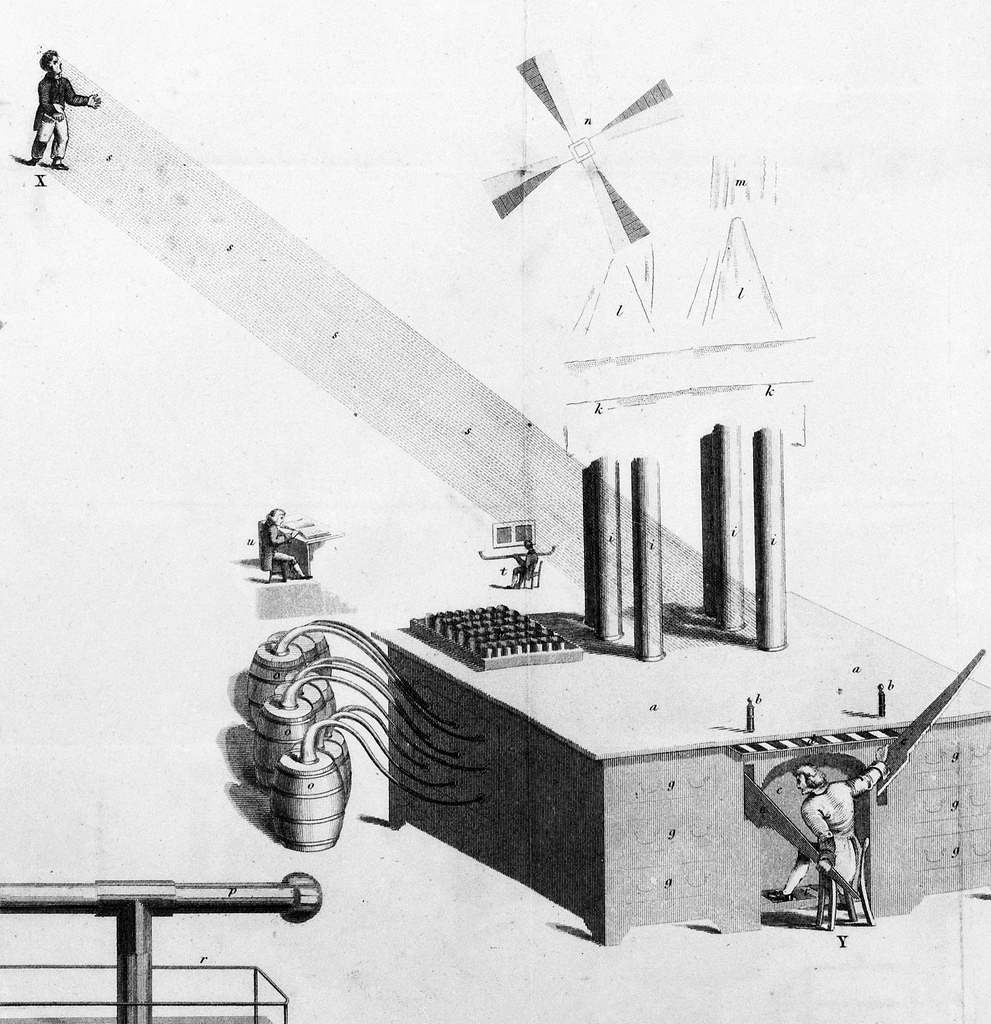
- The notion of students actively participating in the processes of capturing, creating, and sharing course content, conversations, and activities turns the centuries-old "sage on the stage" model on its head. However, the CMS paradigm actually works against such a transformation of the relationship between teachers and learners because it privileges the role of the instructor and technically restricts individual students from contributing and to shaping courses in any meaningful way. Sclater (2008) has argued that the term "learning management system" itself suggests "disempowerment—an attempt to manage and control the activities of the student by the university" (p. 2). The tendencies of the CMS are not, he argues, just "minor irritations," but rather forces that "may overtly or subtly align the institutional processes with the software rather than having the system serve the requirements of the institution" (Sclater, 2008, p. 3)
Saturday, November 8, 2014
Vermont Google Educator Group Kick Off
Yesterday, I had the privilege of joining Lucie deLabruere and many other Vermont educators as we "Kicked Off" the new Google Educator Group Vermont (GEG Vermont). The focus of the session was a fun demo slam (sharing really) of Google Apps, Chrome Web Apps, and Add-ons. Our kick off was just one of the many inspiring sessions and workshops at the Vita-Learn VermontFest 2014 technology conference where hundreds of educators came to share ideas, resources and empower each other to become digital age teachers and learners.
The following presentation contains several links, including the new GEG Vermont G+ Community and G+ Page, and the sign up sheet where presenters provided links to their demos/resources. Our goal is to make the Vermont Google Educator Group an active learning network where Vermont educators embrace the goals of the new Google Groups, which is to...
The following presentation contains several links, including the new GEG Vermont G+ Community and G+ Page, and the sign up sheet where presenters provided links to their demos/resources. Our goal is to make the Vermont Google Educator Group an active learning network where Vermont educators embrace the goals of the new Google Groups, which is to...
Learn, Share, Inspire and Empower
become part of this community, join GEG Vermont
Friday, October 31, 2014
Saturday, October 18, 2014
Monday, September 22, 2014
Back to Blogging
No Excuses
 I've been very lax in keeping up with my blogging. I'm spending more of my energies elsewhere, I have found that sharing ideas in Google Plus is quicker than blogging, with it's ease of posting text, links, images, and videos and commenting on other's posts. But most of what I do in G+, like in Twitter, is consume, comment and regurgitate. It's not necessarily a bad thing, but it has not been very creative or original. So, back to blogging for me whether or not other's read it. I plan to get back to becoming a producer rather than just a consumer and to writing about my teaching, sharing my ideas, recommend digital tools for teaching and learning, as well as create new media that communicates my ideas. It goes well with what we are doing in my online course this semester.
New Literacies
.png) This is Week #3 for my online course, CCV Multimedia Apps & Tools students are exploring what it means to be literate in our world today, what some call the New Literacies. I've created a diagram which I think represents some of the key new literacies that students and teachers should be addressing. I'm impressed by the discussions my students are having as they watch videos and read articles about these literacies, including Doug Belshaw's TED Video: The Essential Elements of Digital Literacies.
This is Week #3 for my online course, CCV Multimedia Apps & Tools students are exploring what it means to be literate in our world today, what some call the New Literacies. I've created a diagram which I think represents some of the key new literacies that students and teachers should be addressing. I'm impressed by the discussions my students are having as they watch videos and read articles about these literacies, including Doug Belshaw's TED Video: The Essential Elements of Digital Literacies.Producers vs Consumers

As I mentioned earlier becoming a producer not just a consumer of information/media is a goal of mine, and something I have my students do each week. In Week #4 Visual Literacy, we will be creating an image that communicates an idea or strong emotional feeling. I've shared with them some tools that they might use to find copyright free images (or they can invoke the Fair Use doctrine if they can provide evidence) and some free web based photo editing tools which they can use to remix/edit their photos such as the Chrome Web Apps, pixlr or picmonkey. I also have created some examples and tutorials for them to see how I have used the photo editors but emphasis that I'm not necessarily a professional designer, and my media isn't perfect and I look for suggestions from them as they would from each other. The example here is not a final version but it demonstrates how to remix two photos using the layers function in Pixlr.
Friday, March 7, 2014
Thousands of Getty Photos Free to Use
One of the first things we explore in our Multimedia Apps & Tools course is Copyright and Fair Use. It's one of the most complicated concepts to understand particularly finding out; if, when and how we can use other's work. Today I read in the BBC News that...
More articles...
Bloomberg Business Week
Getty Images, the world's largest photo agency, has made vast swathes of its library free to use, in an effort to combat piracy.You can go to their website Getty Images and use any image as long as you use the embed code.
More articles...
Bloomberg Business Week
Saturday, February 8, 2014
Creating a Visual Message
Visual Literacy

“need to know how ideas and emotions are expressed through a visual form. We have to begin to teach younger people how to use this very powerful tool...because we know the image can be so strong, not only for good use, but for bad use.
Digital Literacy Tools
Students will either use their own photographs/images or find one from the many copyright free websites available to them (https://www.diigo.com/list/emccarthy/Photos/16th57ti9) to create a simple visual message. While I don't pretend to be an expert, I do think it's important to participate in the learning activities in my class and share my work. So, here is my visual message...I hope it begins to convey an emotional message about the Great Irish Famine. I would work on the text and it's layout...I think there are too many words and the little images in the top right don't seem to work as I had intended. Any suggestions are welcome to make this a better visual message.I use my own photograph from Ireland and edited it with a free Chrome App called Pixlr Photo Editor.

Saturday, February 1, 2014
Going Back in Time

As a child from the 50’s/60’s, I often remember the educational movies we were shown in school. The classic male voice, so serious with melodramatic background music, flicking and snapping across the film as it rolled through the reel. After the teacher got the projector threaded, lights went out and after 5 minutes I’d be asleep at my desk. Try showing clips from one of these movies from the Prelinger Collection on education to your students as ask them what they think, they might get a kick out of going back in time and seeing what it was like to be a student way back when.
Here is a good one that you might use as a kick off to 1:1 computing (proper care of the fountain pen) or a writing class when you talk about the many different digital tools available to communicate their ideas and messages... “TRACES DEVELOPMENT OF WRITING & TOOLS OF WRITING. SHOWS VARIOUS PARTS OF A FOUNTAIN PEN & DISCUSSES ITS PROPER CARE & USE.” It makes me think about how writing has changed over time and what it mean to be literate in a digital world? What skills and dispositions do our students need in today? Are we still teaching reading and writing from the 19th century model?Here is a copy of the same video on YouTube for quicker viewing...
Friday, January 31, 2014
Simple Photo Message

This is an example of a photograph with text added, it was created to convey a simple message. In our online class, we will be creating many different types of digital media as a way to communicate simple and complex ideas.
Friday, December 13, 2013
Acer c720P, is a touch enough to bring happiness?
 My new Acer c720P Touch Screen Chromebook arrived yesterday. I thought I’d be happier with it than I am, though it’s hard to express exactly why reality didn't meet my expectations. I don’t think it’s rooted in so much in functionality of the machine, though I did have to call support immediately after logging in thinking the screen was defective but more on that later. I’m thinking my disappointment is based on the fact that the design seems old school. The dark gray square case looks like an old IBM machine I had years ago. Its not sleek and thin like my Samsung Chromebook which takes its looks from Apple’s MAC Air Pro, and we all know that Apple is all about design and how our devices make us feel.
 I had been waiting for an affordable touch screen Chromebook since the Chrome Pixel came out. I decided I couldn't justify $1200 for another Chromebook just because it has a touch screen. Why I thought the touch screen would make a difference, I can’t tell you, maybe I thought it would combine the best of the computer and tablet worlds. It’s too early to tell on that score but my initial reaction is that it doesn't completely have the same functionality as my Nexus 7...no screen rotation and I’m trying to figure out what exactly the pinch open and pinch close works on. I haven’t gotten it to do anything yet but that could be just my ignorance.
Which brings me back to when I first opened and logged into my new Chromebook. The initial setup went fine, I was able to touch my way through links on the shiny new screen but as soon as I logged into my account the screen was zoomed in so far all I could see was white space at the bottom left of the Google search page with no menu or navigation anywhere on the page. After what seemed like hours, I was able to inch the screen over to get to the settings and look at the zoom and screen size settings but nothing looked abnormal. Several times I shut down and started the process all over again only to find the same results. Thinking it was a defective touch screen I went online on my Samsung Chromebook, and found the Acer support chatting with them about my problem. After troubleshooting for another hour they concluded it wasn't a hardware problem and therefore not covered under warranty. My excitement over getting a new Chromebook diminished to anger over getting a lemon. I told them I’d just send it back to Amazon. But during our conversations, I had the feeling they didn't know what they were talking about and weren't really familiar with a Chromebook. After another hour of researching and struggling to change the super zoomed in screen, I found that the Accessibility setting was enabled for the screen magnifier. I hadn't changed this setting and can only conclude that for some reason it had been enabled in the factory.
I’m now trying to get over my negative experience with my initial use of my Acer Chromebook and the fact that it looks like a boring business machine. This morning’s HangOut might be enough for me to like it, the connection and picture quality was excellent. I’m still wondering if a touch will be enough to bring happiness, or was the anticipation and excitement too much to expect that.
Saturday, October 19, 2013
Embedding & Sharing a Prezi
In this week's multimedia class, we each created a Prezi presentation and embedded them into a Blog posts and shared them to our private G+ community. The following tutorial demonstrates how to embed a Prezi into a blog post and share it to a Google Plus community.
Below is my demo Prezi...
Monday, October 14, 2013
Class Collaborative Slideshow
This is a collaborative project for our CCV Multimedia Apps & Tools Fall 2013
Thursday, October 3, 2013
Creating a Slideshow with YouTube
Our learning topic this week is Creativity and using Creativity Tools. Students will explore The Big Picture photo news journalism site and then create their own photo slideshow. I've created a video tutorial on how to create a photo slideshow using Google+Photos and YouTube Photo Slideshow.
Monday, September 23, 2013
Building an Online Learning Community

Tuesday, June 18, 2013
Final Tech Tips from Room 224

The key point I want to share has been clearly summarized in the white paper, How Digital Learning Contributes to Deeper Learning by Tom VanderArk & Carri Schneider...
"...all students must have access to educational opportunities that foster deeper learning in order to be successful in college and their careers. Creating these opportunities for every student in every classroom can be achieved by using personal digital learning tools that customize the educational experience and serve the individual needs of each student on his/her own unique learning path."It has been my goal to help educators in making the shift from pencil and paper, 20th century teaching and learning to a 21st century digital learning environment that leverages the technology tools to engage all students in learning experiences that are relevant to today's digital world, and allow for more creative and collaborative learning. While I believe I've made some headway in achieving my goal and I see amazing examples of digital teaching and learning in our school's classrooms, the district has a long way to go. I'm inspired by the YouTube Video For Malaysia showing how the entire country of Malaysia is going Google and providing Chromebooks for all 10 million students. If a whole country believes that reforming education can be done with affordable tools like Chromebooks and Google Apps, then why aren't we at least talking about the possibilities for our small district in rural Vermont?
Why do we still struggle here at WCSU with barriers to digital learning? Why don't we have technology in the hands of all students every day where they aren't simply tools to learn but tools for learning? Why do we still struggle with the technology where some classrooms don't have adequate numbers of computers for students and those that do it takes 15 minutes for a $600-400 student netbook computer to boot up in class when a $249 Chromebook is working in 10 seconds? Why aren't we considering 1:1 initiatives like other districts and exploring how digital learning will allow us to address the Common Core State Standards?
I'm not sure if it's the right reason we should change to digital learning but despite the motivation, Common Core State Standards will drive the change necessary to make digital technology part of students everyday learning experience but to shift to deeper learning with digital technologies it will require vision, planning and understanding.
Last summer I wrote a post in this blog called "Review of Focus" which was a challenge to our district administrators to think critically about a book they were reading called "Focus" by Mike Schmoker. My writing was somewhat tongue-and-cheek by fearing they would take it personally and I'd lose my job over challenging them to have vision and think about the implications of ignoring digital learning. But little did I know then that it would be taken personally and my prediction would come true. My position has been eliminated and I'll be leaving in a few days. While some may say it was due to lack of grant funding, I know that is not the whole truth but will not disparage the administrator who did so to me and took the blog post challenge personally.
My last tip to you as educators is to accept change and prepare your students for the digital world they live in and support each other in the transition to becoming digital educators.
- Digital Learning Articles~
- http://gettingsmart.com/wp-content/uploads/2012/12/Digital-Learning-Deeper-Learning-Full-White-Paper.pdf
- http://goo.gl/iOoWF
- http://www.edweek.org/ew/articles/2013/05/22/32elchangingrole.h32.htmltkn=ULYF29q0CbGXD5Ssk%2BUZeSUZzMDK4BcmW4SS&cmp=clp-edweek
- http://www.leadcommission.org/news/lead-commission-unveils-digital-learning-blueprint
- http://edtechreview.in/index.php/news/news/e-learning/361-digital-learning-importance-infographic
- http://www.digitallearningnow.com/wp-content/uploads/2013/05/Conditions-and-Careers-Final-Paper1.pdf
- Common Core ~ Digital Literacy
- http://wiobyrne.com/i-blog-therefore-i-am/
- http://wiobyrne.com/construction-andor-creation-of-online-content/
- http://catlintucker.com/2012/10/common-core-alstandards-teaching-argument-writing/
- Digital Tools ~Google Apps for Ed: a digital learning environment
- TeacherDashboard/Google Apps & Digital Literacy
- Chrome Apps for your classroom ~ most are free
- Chromebook classroom $249 each
- Chromebooks for 10 million Malaysian Students
Saturday, June 1, 2013
June 1st EdTech Tips from Rm 224
EdTech Tips from Room 224
- Read Like a Historian http://sheg.stanford.edu/rlh
- Vermonter, Adam Prevost's Edutopia article "School Time" in New Zealand
- Google Apps Meets Common Core
- Voice/Audio Recording Tools
- TwistedWave ~ web based audio recording - saves to GDocs
- Soundcloud ~ record & save sounds
- Google Keep ~ note taking with text, images, voice recording
- Voice Note ~ speech to text -copy/paste to doc
Subscribe to:
Posts (Atom)